Prototype
NDE Network of Terms MCP server
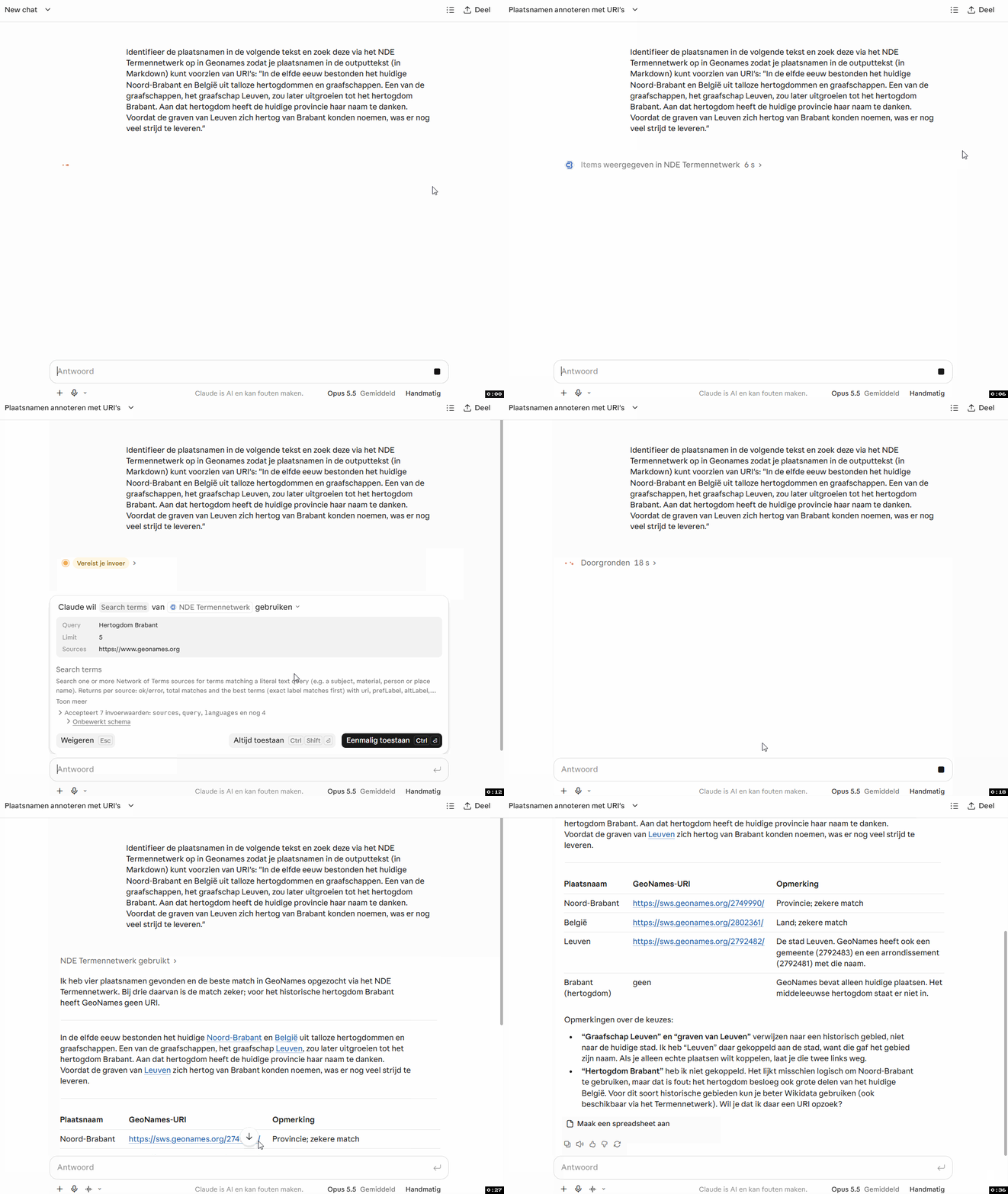
Lets AI assistants search, look up and reconcile Dutch cultural heritage terminology through the GraphQL API of the Network of Terms of the Dutch Digital Heritage Network (NDE).
Connect
MCP endpoint (Streamable HTTP, no authentication): https://mcp-termennetwerk.coret.org/
Claude (claude.ai, Claude Desktop)
Settings, Connectors, Add custom connector, and enter the URL above.
Claude Code
claude mcp add --transport http termennetwerk https://mcp-termennetwerk.coret.org/ChatGPT
- Open chatgpt.com/plugins, select + and then Add custom MCP server.
- Enter a name (e.g.
Termennetwerk) and, under Connection, the Server URL above. - Authentication: No authentication. Confirm the risk warning and select Create as a plugin.
- Install the plugin, then select it with
@in the prompt box.
In a Business or Enterprise workspace an admin may have to allow custom MCP servers.
GitHub Copilot (VS Code)
Command Palette, MCP: Add Server, choose HTTP, enter the URL above and the ID termennetwerk.
Or add it to .vscode/mcp.json (workspace) or your user mcp.json:
{
  "servers": {
    "termennetwerk": {
      "type": "http",
      "url": "https://mcp-termennetwerk.coret.org/"
    }
  }
}
Microsoft Copilot Studio
In your agent: Tools, Add a tool, New tool, Model Context Protocol. Enter a server name, description and the URL above, set authentication to None, select Create and then Add to agent.
Tools
list_sources: the terminology sources (AAT, CHT, RKDartists, GTAA, NTA, GeoNames, Wikidata, ...).search_terms: find terms by text in up to 10 sources.lookup_terms: resolve known term URIs to labels, hierarchy and links.reconcile: match names (with birth/death dates, places, ...) to one source, with scores.extend_terms: fetch selected properties for matched term URIs.
Discovery metadata
/.well-known/mcp/server-card.json: MCP Server Card (SEP-1649)/.well-known/mcp.json: alias of the server card/.well-known/agent-card.json: A2A v0.3 Agent Card/.well-known/agent.json: alias of the agent card
Links
- GitHub: coret/termennetwerk-mcp-server (source, README, issues)
- Termennetwerk: the Network of Terms of the Dutch Digital Heritage Network (NDE)
- termennetwerk-api.netwerkdigitaalerfgoed.nl: upstream GraphQL and Reconciliation API
- NDE documentation of the Network of Terms
- Video: Help AI met jouw erfgoedservices (via MCP)
- mcp.openarchieven.nl: sister MCP server for Open Archives (Dutch genealogical records and transcriptions)